- whatsapp api
- whatsapp business
- api comparison
- messaging api
- indie dev
- startup
Official WhatsApp Business API vs Unofficial APIs: Which One Do You Actually Need?
, by System Admin
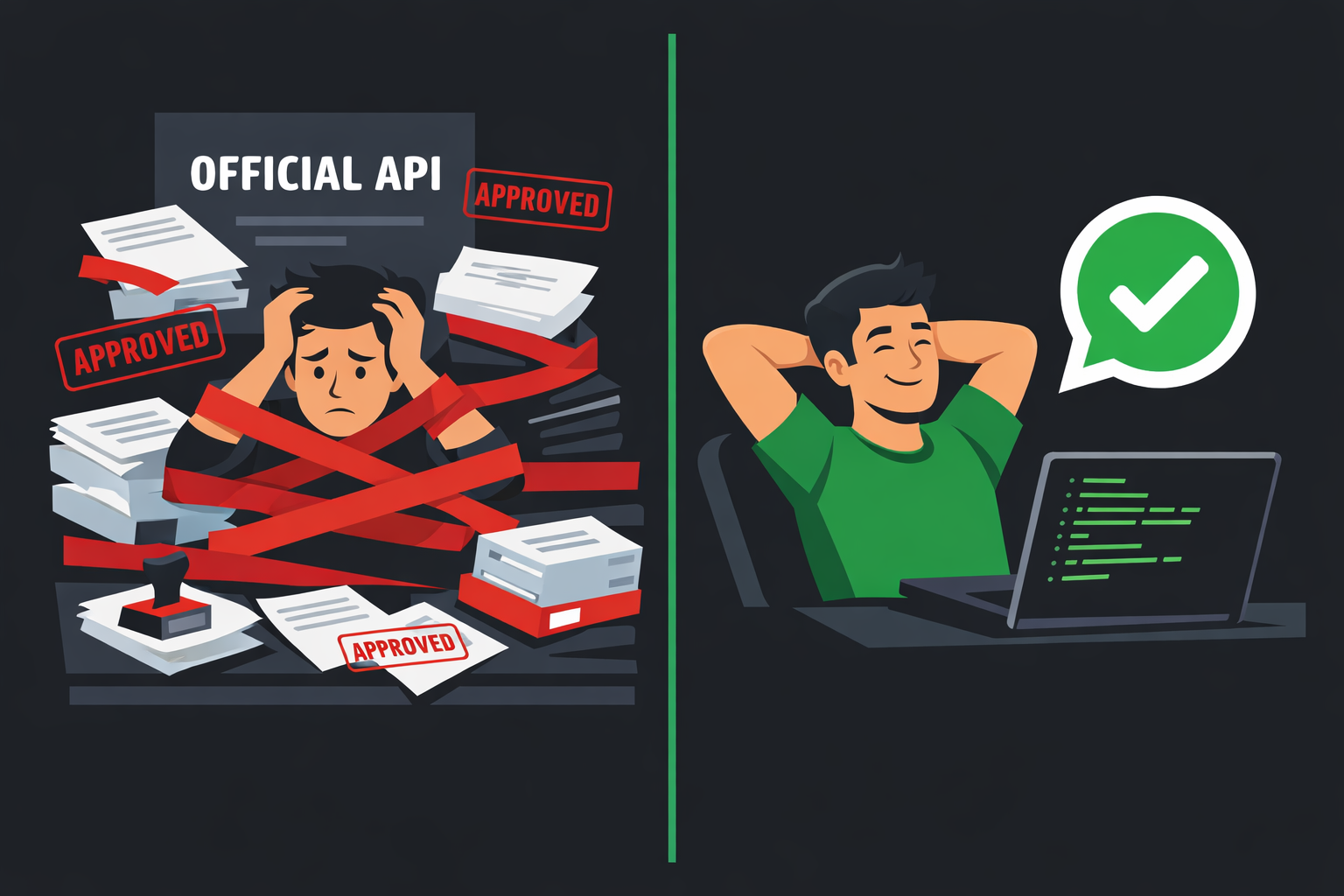
The Problem With "Official"
The first thing most developers do when they need to send WhatsApp messages programmatically is look up the official route. Meta's WhatsApp Business Platform is right there, with polished documentation and enterprise credibility. Then reality sets in.
You need a verified Facebook Business Manager account. You need to submit your business for meta review. You need approved message templates before you can send anything outside a 24-hour window. You need a dedicated phone number that clears Meta's approval. And you will pay per conversation, not per message, with rates that scale in ways that are genuinely hard to predict at the start.
For a large enterprise pushing marketing campaigns at scale, this is the correct trade off. For an indie developer building a notification service, a side project or an internal tool for a small team, it is often overkill that costs you weeks of setup time and money you did not budget for.
This post lays out the real differences between the official API and unofficial alternatives like Wazen, so you can make an informed decision based on your actual use case.
What the Official WhatsApp Business API Actually Requires
The Approval Gauntlet
Getting access to the official WhatsApp Business API is not a sign up form. It is a process. Here is what you are committing to:
Facebook Business Manager account that has been verified by Meta. This means submitting legal business documents and waiting for review, which can take days to weeks.
Business verification via phone, website, or official documents. If your business is new or does not have a strong web presence, this can fail or require multiple attempts.
A dedicated phone number that has never been linked to a personal WhatsApp account. If you use an existing number, it is removed from personal WhatsApp permanently.
Message template pre-approval for any outbound communication sent outside a 24-hour customer service window. Each template goes through Meta review.
A Business Solution Provider (BSP) or direct API access via Meta's Cloud API, both of which have their own onboarding layers.
For a well funded startup with a legal entity, a strong website and a dedicated ops person, this is manageable. For a solo developer who wants to prototype something over a weekend, it is a hard stop.
The Pricing Trap
Meta's pricing model is conversation based not message based. Every conversation falls into one of four categories: marketing, utility, authentication or service. Each category has a different per conversation rate that varies by country.
Marketing conversations in high value markets like Germany or Brazil can cost $0.10 to $0.15 per conversation. If you are running a campaign to 10,000 users, that is $1,000 to $1,500 in API fees alone, before any platform or BSP markup.
The 1,000 free conversations per month Meta offers sounds generous until you realize that a mid sized notification workflow burns through that in days. After that, costs scale linearly and can spike without warning if you miscalculate message volume.
Rate Limits and Tier Progression
The official API also applies tiered messaging limits based on your account history. New accounts start at Tier 1, which caps you at 1,000 unique users per day. Moving to higher tiers requires maintaining a high quality rating over time, which is calculated based on user blocks, reports, and opt-outs.
If a batch of messages generates complaints, your tier can drop, throttling your delivery capacity at the worst possible moment.
Where the Official API Wins
None of this is to say the official API is bad. It is the right tool in specific scenarios:
Regulated industries where compliance documentation is non-negotiable, such as finance, healthcare, and government services.
High-volume enterprise campaigns where you need guaranteed throughput, SLA-backed uptime, and audit trails.
Global marketing at scale where you need verified sender status to protect deliverability and brand reputation.
Customer support platforms where the 24-hour service window model aligns with your workflow and you need CRM integrations that BSPs provide.
If you are building a product that will be used by thousands of paying customers and WhatsApp is a core revenue-generating channel, the investment in official API access is justified. The compliance, the verification, and the per-conversation pricing all make sense at that scale.
Where Unofficial APIs Like Wazen Win
For everyone else, unofficial APIs offer a dramatically simpler path to production.
Zero Approval Process
With Wazen, you create an account, generate an API key, and scan a QR code to pair your WhatsApp session. That is the entire setup. No business verification. No document submission. No template pre-approval. You are sending messages within minutes.
The API call to send a text message looks like this:
POST https://wazen.dev//api/v1/sessions/:id/messages
Authorization: Bearer YOUR_API_KEY
Content-Type: application/json

{
  "to": "+1234567890",
  "type": "text",
  "content": "Hello from Wazen!"
}
That is it. No template ID. No pre approved content. You send what you need to send.
Flat Predictable Pricing
Wazen charges a flat monthly subscription based on the number of WhatsApp sessions you need, not on message or conversation volume. The Starter plan at $4.99 per month covers one session. The Pro plan at $14.99 per month covers three. The Business plan at $34.99 per month covers ten.
If you send 500 messages or 50,000 messages, the cost does not change. For developers building internal tools, notification systems or side projects, this predictability is genuinely valuable. You are not watching a cost meter tick up every time a message goes out.
Smart Warming for New Numbers
One real risk with any unofficial WhatsApp API is getting a new number flagged or banned for sending too many messages too quickly. Wazen handles this with a built in 14-day automated warming ramp up that gradually increases message volume from a new session, mimicking organic account behavior and reducing ban risk significantly.
Real Time Webhooks
Wazen delivers incoming messages and status updates to your endpoint in real time using HMAC-signed webhook payloads. You can verify every payload with your signing secret, which means you are not just receiving data, you are receiving authenticated data you can trust.
Group and Channel Messaging
The official API does not support WhatsApp group messaging. Wazen does. If you are building a community management tool, a group notification system, or a broadcasting workflow, this is a meaningful capability gap.
MCP Server for AI Agents
Wazen includes an MCP (Model Context Protocol) server with over 30 tools, which means you can connect AI agents directly to your WhatsApp sessions. If you are building AI-powered assistants or automated workflows that need to read and respond to WhatsApp messages, this integration path is already built.
Use Case Breakdown
Here is a practical guide to which tool fits which situation:
Indie dev building a personal project or prototype: Unofficial API. You do not have time for approval cycles, and the cost needs to be predictable.
Startup testing product-market fit with WhatsApp notifications: Unofficial API. Validate first, migrate later if volume justifies it.
Internal tool for a small team: Unofficial API. Flat pricing and fast setup beat bureaucracy.
E-commerce brand sending order confirmations at scale: Official API, if volume exceeds what a single session can handle. Otherwise, unofficial may still work.
Enterprise with compliance requirements: Official API, full stop.
Community platform with WhatsApp group features: Unofficial API, since the official API does not support groups.
AI chatbot that reads and replies to messages: Unofficial API with MCP integration for the fastest path to production.
The Migration Question
One concern developers raise is whether starting with an unofficial API creates lock-in or makes migration harder later. In practice, the answer is no, with some planning.
If you architect your messaging logic behind an abstraction layer, swapping out the underlying API client is a relatively small refactor. The bigger lift is rethinking your message structure if you move to a template-based system, and registering your phone number formally with Meta, which removes it from WhatsApp Web and any existing session.
The pragmatic approach: start with Wazen to build, validate, and ship quickly. If you hit a scale or compliance threshold that requires the official API, you will have a working product, real user data, and a much clearer picture of what you actually need from the migration.
Making the Call
The official WhatsApp Business API is a serious piece of infrastructure built for serious business scale. If that is where you are, it is the right tool. But most developers reading this are not there yet, and spending weeks in approval queues and thousands of dollars in conversation fees before you have shipped a single feature is not a reasonable trade-off.
Unofficial APIs like Wazen exist because there is a real gap between "I need to send a WhatsApp message from my app" and "I need an enterprise-grade global messaging platform." For the vast majority of developer use cases, that gap is where you want to be working.
You can get started with Wazen at wazen.dev and have your first message sent before the official API approval process would even begin.